Streamline practice workflows without losing personal connection. Learn whether to automate patient billing software and when not to.
Better Automation Doesn’t Mean Removing People
Across the country, many healthcare practices are adopting automated patient billing software to create a connected workflow that accelerates payments, reduces administrative burden, and provides a more convenient financial experience for patients. While automation can be an invaluable tool for healthcare organizations, it should not be used for every billing transaction.
A recent survey found that 59% of patients want to receive an automated text notification about an outstanding balance, and 62% prefer making online payments. However, when it comes to sensitive topics, many patients often prefer speaking directly with the office staff. Complicated billing questions, disputed balances, financial hardship, and collection situations typically require human communication, empathy, and judgment.
The most effective patient billing strategy is not automation versus people—it is knowing when to use each to avoid the risk of over-automation.
Research indicates a strong, ongoing demand for digital growth alongside human contact. The following actions can help healthcare organizations combine the benefits of automated patient billing software with human interaction to enhance the overall payment experience.
1. Automate Routine Bill Delivery
Patient billing software can effectively automate the following tasks:
- Coordinate electronic notices with mailed statements
- Establish communication based on existing billing workflows
- Generate and deliver patient bills electronically
- Provide secure links to online bills and payment options
- Send electronic billing notices through text and/or email
Automating routine bill delivery can significantly reduce repetitive administrative tasks, create more consistent billing workflows, help bills reach patients faster, and provide patients with quicker access to their balances.
Where The Human Touch Matters
Administrative staff should be available to speak with patients who do not understand a charge, have insurance-related questions, believe there is an error, or need further explanation. Team members also play a key role in reviewing and approving bills before sending them to patients electronically or by mail.
Combining Bill Delivery Methods
Recent data indicate that combining electronic and mailed billing reduces the average time to payment from 20 days to 9 days, compared with 60-120 days for paper-only billing. BillFlash offers the following solutions as complementary ways for healthcare practices to automate and coordinate bill delivery based on patient preferences:
eBill Notices
When a bill is generated, patients are sent an electronic notification via text and/or email to view and pay their balance. Approximately 32% of patients will make a payment within five minutes of receiving the notification, eliminating the hassles for staff to handle in-office payments.
Mailed Bills
Send professional patient statements in just a few clicks while eliminating the time and labor of printing, folding, stuffing, and mailing bills in-house. Practices can customize statement templates, update messaging, and include coupons or inserts as needed. QR codes can also direct patients to PayWoot.com for a secure online payment, helping practices streamline billing and make it easier to get paid.
eBill Notices and mailed statements can be sent in batches in just a few simple clicks on the BillFlash online portal. These services help practices eliminate the repetitive task of printing, stuffing, and sending mail manually. Such tasks consume up to 20% of staff hours weekly and divert focus from patient care while increasing operational costs.
2. Automate Payment Reminders—Not Patient Relationships
According to a recent patient survey, 45% of patients reported forgetting to make a payment or overlooking a bill because they could not communicate effectively with their medical provider. This staggering statistic supports the need to automate the following tasks:

- Scheduling email and text payment reminders
- Establishing timing for follow-up
- Providing secure payment links
- Automatically stopping electronic reminders once payment is received
Integrating automated payment reminders with patient billing software ensures more consistent follow-up, less manual outreach for office staff, and fewer time-consuming phone calls. It also keeps outstanding balances visible to patients for faster payment.
Where People Still Matter
The primary objective of automation is to make it easier for patients to reach a human when they have a question about their balance, need help determining how to pay, or want to dispute the amount owed. Human interaction is essential for managing complex situations that are difficult to resolve through a standard workflow.
BillFlash PayReminders
BillFlash PayReminders automates patient follow-up while giving healthcare practices total control over communication cadence. The automated pre-collection billing tool sends scheduled electronic payment notifications through text and/or email (typically after the first statement has been sent on days 7, 14, and 21). Providers can choose to pause, exclude, or restart specific accounts from the reminder workflow.
Through real-time tracking, a patient is automatically removed from the reminder sequence once payment is made. PayReminders can help improve patient satisfaction, reduce administrative burden, lower A/R days, and cut payment delays by up to 50%.
3. Let Patients Handle Simple Payments Themselves
A key advantage of modern patient billing software is providing patients with convenient self-service payment options, such as:
- Applying for patient financing
- Enrolling in an eligible payment plan
- Saving a preferred payment method
- Setting up recurring payments
- Submitting an online payment
- Using credit/debit cards or ACH/eCheck
- Using a mobile wallet (Apple Pay or Google Pay)
- Viewing a bill

Why Self-Service Matters
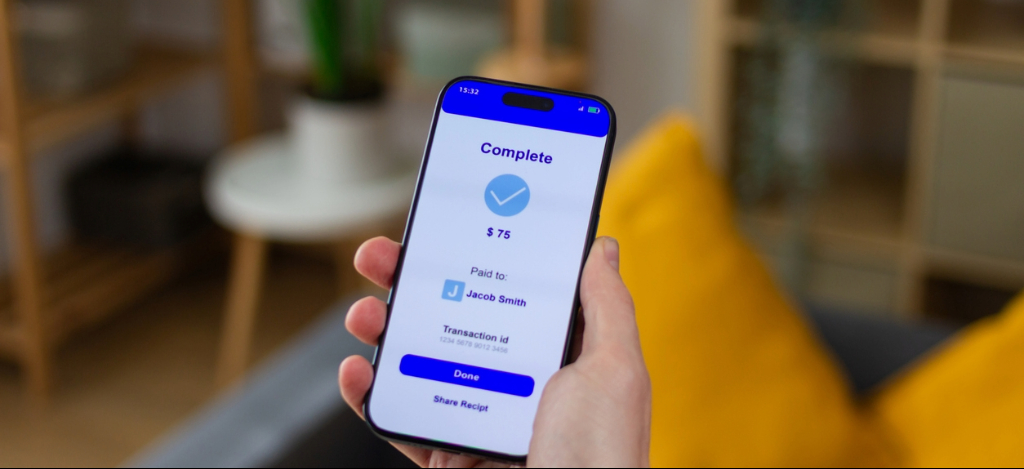
Many patients do not have the time to call a medical office during business hours simply to pay a bill. They have become accustomed to digital options in their daily lives and have come to expect the convenience of paying their medical bills online through one-click checkout experiences. In a recent survey, 85% of patients reported a preference for paying their medical bills online.
For practices, self-service payment options can reduce payment-related phone calls, minimize staff time spent manually processing payments, and make it easier for patients to pay sooner. By giving patients the ability to view and pay balances on their own time, practices can create a more convenient payment experience while improving efficiency and supporting faster collections.
Payment Solutions That Support Healthcare Staff
Digital payment options can minimize payment-related administrative burden for office staff while significantly reducing payment friction for patients. BillFlash offers a user-friendly online payment portal (PayWoot.com) that creates less work for office staff through the following capabilities:
AutoPay
An automated feature lets patients securely save a payment method that can be automatically charged when a statement is issued, without requiring manual action. The system automatically debits the full amount due, eliminating late fees and missed due dates. Practices benefit from instant revenue, lower costs, and fewer errors, and patients enjoy less stress and greater convenience.
OfficePay
The secure front-desk platform lets office staff seamlessly accept multiple forms of patient payments, eliminating the need for a standalone credit card terminal. The payment processing solution integrates with over 100+ EHR and practice management systems and enables versatile acceptance of both in-office and phone payments. Practices benefit from increased efficiency, accelerated cash flow, and patient satisfaction.
PlanPay
Allows patients to split a large balance into a custom installment plan that they can set up on the online patient portal (PayWoot.com) according to provider-specific rules, such as minimum monthly payment, maximum plan duration, and minimum eligible balance. PlanPay helps providers create predictable income, reduce administrative costs, and improve the patient payment experience.
StoredPay
Securely saves the patient’s preferred payment method for faster manual transactions and a quicker checkout process. Patients still initiate and approve each payment manually; however, they do not have to re-enter payment information. Healthcare practices benefit from accelerated cash flow, reduced administrative burden, and fewer payment delays. Patients appreciate the enhanced data security and stress-free bill management.
Where Staff Still Adds Value
Human assistance may be appropriate when patients need help navigating payment options, cannot afford the available terms, or have specific questions before making a payment.
4. Automate Payment Plans and Patient Financing Within Practice-Defined Rules
Payment flexibility is another area where patient billing software can reduce manual work without eliminating practice oversight. With automated payment plans, practices can establish parameters for minimum eligible balance, minimum monthly payment, and minimum payment duration. Eligible patients can then select a plan that meets their needs and provider-defined rules without requiring help from office staff.
Automated payment plans and flexible financing give patients more control and reduce staff involvement in routine payment plan setup. This creates consistent payment plan policies while supporting recurring revenue collection.

Where Human Expertise Matters
Patients with an unusual financial situation may still need to speak with office staff about alternative options.
Self-Serve Payment Plan and Financing Solutions
PlanPay
A self-service automated payment plan option that lets patients split larger balances into equal installment payments over time. The system automatically processes a payment on the scheduled date using the patient’s saved payment method until the balance is paid in full.
FlexPay
A self-service financing option that helps patients manage larger balances with convenient monthly payments. Patients can apply online in less than a minute, and about 90% are approved. Once approved, they can set up their own financing and make payments through the PayWoot.com patient portal, with options that may include 0% interest. Best of all, the provider gets paid in full upfront while the patient pays over time.
5. Automate Payment Posting Where Possible
Payment collection is an intricate process that requires someone (or something) to ensure payments are reflected in the appropriate system. Manual posting requires repetitive data entry and significant staff time to reconcile transactions. When practices manually operate multiple systems, they often face common challenges, such as duplicate work and the risk of posting delays or errors.
Where Automation Can Help
Robotic process automation and patient billing software can help move payment information into practice systems without staff having to post every transaction manually.
Automatically Post Payments Back to Practice Systems
BillFlash PayBot delivers a seamless, integration-like payment experience without the complexity, delays, or cost of custom integration. The invaluable tool operates securely in the background without disrupting existing workflows, automatically recording payments collected through BillFlash.
The synchronized automation of PayBot handles predictable work, allowing humans to focus on:
- Exceptions
- Reconciliation issues
- Unmatched transactions
- Unusual account activity
By eliminating manual payment posting, PayBot helps improve staff efficiency, strengthen financial accuracy, and provide more reliable reporting.
6. Combine Automation and Human Expertise in Collections
Collections may be one of the clearest examples of why medical billing relies on both people and technology.
What Can Be Automated
- Applying provider-defined collection criteria
- Identifying eligible past-due balances
- Reporting
- Routing open balances through existing workflows
- Tracking account status
What Still Requires a Human Touch
- Complex circumstances
- Disputes and questions
- Financial hardship
- Patient conversations
- Sensitive recovery interactions

Integrated Collection Services
Medical balances become harder to collect as they age. Industry research indicates that time is the single greatest determining factor in whether a provider will ever recover an outstanding balance. Recovery probability drops 10-15% for every additional 30 days an account goes unworked.
Integrated Collection Services from BillFlash combines cutting-edge technology, integrated workflows, and provider-defined rules to improve collection rates. Bilingual recovery specialists offer tactful guidance and help patients make convenient payment arrangements to resolve outstanding balances. Healthcare practices maintain oversight rather than automatically handing over every account.
If a patient cannot make payment in full, they are offered a payment plan that can help providers get paid faster. Collected monies are deposited directly into the BillFlash Pay account, ensuring providers get paid first without the additional costs or delays of third-party collection agencies.
7. Keep Human Communication Available for Billing Questions
According to a recent survey, 60.5% of patients are confused by their medical bills. They often try to figure out the discrepancy on their own or just ignore the bill altogether. Patients also blame the provider’s billing department as a primary cause of their frustration. A payment button on a payment portal alone cannot resolve every payment barrier.
Why Patients Delay Payments
- Believe insurance should have covered the charges
- Have questions about their financial responsibility
- Need clarification before submitting a payment
- Unable to understand the bill
- Want to discuss available options
A Better Approach
Combining technology with routine communication can maintain a clear path to human support when a patient needs it most.
BillFlash Payer Messages allows patients to securely submit payment or billing questions through an online patient payment portal (PayWoot.com). This two-way communication platform enables a quick response from the provider, ensuring the patient gets the answers they need to justify making a payment. Patients don’t need to spend time calling the office, and staff can focus on patient care and other administrative tasks.
8. Avoid the Risk of Over-Automation
Automation can create significant problems when healthcare practices prioritize efficiency without considering the patient experience.
Warning Signs of Over-Automation
- Complex issues are treated like routine transactions
- Every situation receives the same communication
- Patients cannot easily reach the office staff
- Patients get stuck in automated workflows
- Staff lose visibility into exceptions
- Too many reminders are sent
Instead of running the risk of over-automation, healthcare practices should…
AUTOMATE PREDICTABLE TASKS – ESCALATE EXPERIENCES – KEEP PEOPLE AVAILABLE WHEN EXCEPTIONS, JUDGMENT, OR EMPATHY ARE NEEDED
9. Build a Patient Billing Workflow Where Technology and People Work Together
When it comes to the ideal division of responsibilities:
Let Technology Handle
- Bill delivery
- Eligible financing and payment plans
- Online payments
- Payment posting
- Recurring payments
- Routine reminders
- Workflow triggers
Let People Handle
- Complex questions
- Disputes
- Exceptions
- Financial hardship
- Sensitive collection conversations
- Situations requiring judgment
The goal of patient billing software should not be to remove people from the process. It should reduce unnecessary manual workloads and free up office staff to spend more time on interactions where their expertise adds value.
BillFlash: Automate the Work Without Losing the Human Touch
BillFlash brings patient billing, payments, financing, and collections together in one connected platform. Practices can automate repetitive financial workflows and maintain human support and staff oversight for the moments that require it.
See Smarter Patient Billing Software in Action
Ready to spend less time on repetitive billing tasks while creating a better payment experience for your patients?
Schedule a demo today to see how BillFlash patient billing software can help your healthcare practice automate routine workflows, provide patients with convenient payment options, and keep human support where it matters most.